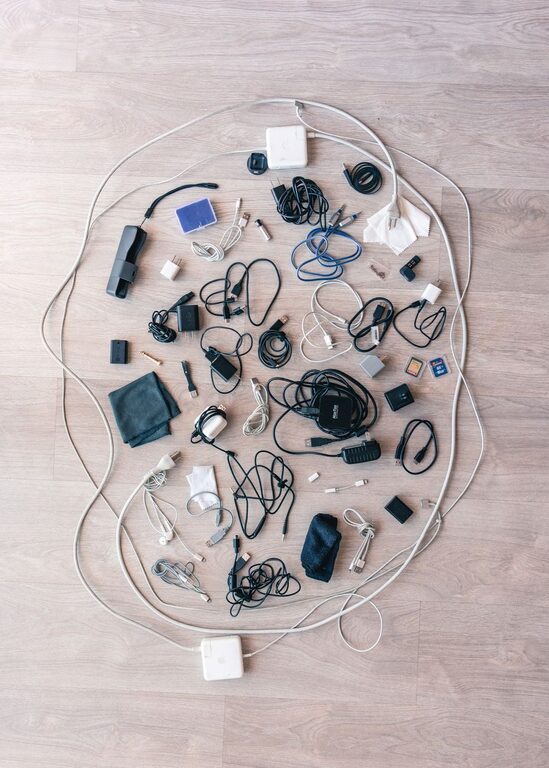
Cables and chargers are useful, but they can quickly turn into a tangled mess. Phone chargers, laptop cords, USB cables, headphones, and power strips often collect in drawers, on desks, and behind furniture. When everything is mixed together, it becomes harder to find what you need and easier to damage a cable.
A simple cable organization system can make your space look cleaner and save time. The key is to sort cables by purpose, remove items you no longer use, and give every cable a clear place to stay. You do not need expensive equipment to get started. A few labels, clips, pouches, and storage boxes can make a noticeable difference.
Start With a Complete Cable Sweep
Before organizing anything, collect all your cables and chargers in one place. Check common hiding spots, including:
– Desk drawers
– Bedside tables
– Kitchen counters
– Bags and backpacks
– Storage boxes
– Entertainment centers
– Behind desks and sofas
– Car compartments
Place everything on a large table or open floor area. Seeing the full collection at once makes it easier to understand what you have and prevents you from organizing one area while leaving another cluttered.
As you gather the cables, keep chargers with their matching devices whenever possible. For example, place a laptop charger next to the laptop it belongs to and group a game console power cord with the console accessories.
Sort Cables Into Clear Groups
Create a few simple categories. Avoid making too many groups, since an overly detailed system can be difficult to maintain. Useful categories may include:
– Phone and tablet chargers
– Laptop and computer cables
– Audio cables
– Camera and hobby cables
– Entertainment cables
– Extension cords and power strips
– Spare or rarely used cables
You can also sort cables by location instead of type. For example, you might create groups for the office, bedroom, living room, travel bag, and car. Choose the system that matches how you use your cables most often.
If a cable could belong in more than one group, place it where you are most likely to need it. A frequently used phone cable may belong in your bedside drawer even if you also use it at your desk.
Remove Cables You No Longer Need
Cable collections often grow because people keep every cord “just in case.” Review each item and ask a few practical questions:
– Do I know what device this cable belongs to?
– Does it still work?
– Have I used it in the past year?
– Do I own several identical cables?
– Is the connector still used by my current devices?
– Is the cable damaged or frayed?
Set aside cables that are broken, unsafe, or impossible to identify. Do not keep damaged cords in regular storage. If you are unsure how to dispose of electronic accessories, check your local recycling guidelines.
Keep a small collection of useful spares, but avoid storing duplicates without a reason. One or two extra charging cables can be helpful, while a box full of identical cords usually creates more clutter.
Use Labels to Identify Each Cable
Labels are one of the easiest ways to prevent future confusion. A cable may look obvious when it is connected to a device, but it can be difficult to identify once it is removed.
Use small adhesive labels, masking tape, or reusable cable tags. Write simple descriptions such as:
– Tablet charger
– Work laptop
– Monitor power
– Camera data cable
– Bedroom lamp
– Travel charger
For cables with two different ends, you can label both ends. This is especially helpful for cords that run behind furniture or connect to equipment in hard-to-reach locations.
Color coding is another helpful option. For example, use blue tags for computer cables, green for household electronics, and yellow for travel accessories. Choose colors that are easy for everyone in your household to understand.
Keep Frequently Used Cables Within Reach
The cables you use every day should not be buried in a box. Store them where they are easy to access but cannot slide off the desk or become tangled.
Desk cable clips can hold charging cords near the edge of a workspace. A small cable holder beside your bed can keep a phone charger in place. You can also use reusable hook-and-loop straps to bundle a cable loosely when it is not in use.
Try to keep each frequently used cable close to the device it serves. A laptop charger can stay near the desk, while a phone charger may have a place beside the bed and another in a travel bag.
Store Extra Cables in Pouches or Boxes
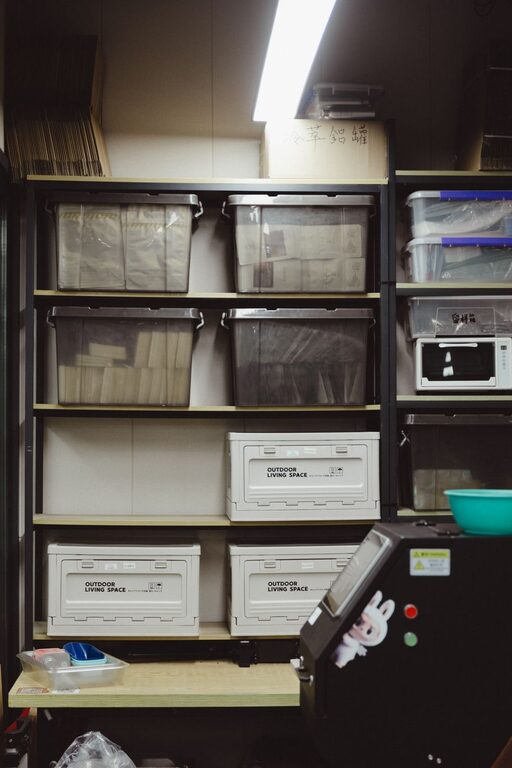
A drawer or storage box works well for spare cables, but loose cables should not be thrown inside. Separate the cables into smaller groups using pouches, zippered bags, or small containers.
Consider a storage system like this:
– One pouch for charging cables
– One pouch for computer and monitor cables
– One pouch for audio accessories
– One box for extension cords and power strips
– One small travel case for frequently packed items
Choose clear containers if you want to see the contents quickly. Opaque containers can also work well if they have large, easy-to-read labels.
Avoid filling a container so tightly that cables become difficult to remove. Leave enough space to return items without forcing them inside.
Coil Cables Without Damaging Them
The way you wrap a cable affects how long it lasts. Avoid pulling tightly on the wire or bending it sharply near the connector. Instead, use a relaxed loop and secure it with a reusable strap.
For longer cords, try the over-under coiling method. This creates alternating loops and helps reduce twisting. For short charging cables, a simple loose loop is usually enough.
Do not wrap cables tightly around chargers or devices. Tight wrapping can place stress on the cable ends and may cause the outer covering to wear over time. Store chargers separately from heavy objects that could bend or crush them.
Tame Cables Behind Your Desk
The area behind a desk can become cluttered quickly. Start by unplugging and identifying each cord. Then remove anything that is no longer needed.
Group cords that run in the same direction and secure them with hook-and-loop straps. A cable sleeve can combine several cords into one neat bundle. Adhesive clips or under-desk cable trays can keep cords off the floor and make cleaning easier.
Leave a little extra length near each device so you can move equipment without pulling on the connections. Avoid making one large, tightly packed bundle that is difficult to trace later. Smaller labeled groups are easier to manage.
Organize Chargers for Travel
Travel cables deserve their own small system. Keep a compact pouch stocked with the items you use most often, such as a phone charger, charging plug, backup cable, and any needed adapters.
Before each trip, check that the cables are present and working. Store the pouch in the same pocket of your bag so you always know where to find it.
To save space, choose a pouch with separate compartments or elastic loops. This keeps connectors from scratching other items and prevents the cables from becoming tangled. Do not pack more chargers than you are likely to use.
Create a Simple Maintenance Routine
Cable organization works best when it becomes a habit. Once a month, take a few minutes to return loose cables to their assigned locations. Remove new duplicates and update labels when you replace a device.
Use a simple rule: take one cable out, put one cable back. Avoid leaving chargers on countertops, floors, or furniture when you are finished with them.
It can also help to keep one small “temporary” container for cables you are unsure about. Review this container after a set period, such as three months. If you have not needed an item, it may no longer deserve space in your main storage system.
Final Tips for a Tidy Cable System
A neat cable setup should be convenient, not complicated. Start with the cables you use most, then expand the system as needed.
Keep these tips in mind:
– Label unfamiliar cables as soon as you identify them.
– Store spare cables by type or location.
– Use loose loops instead of tight bends.
– Keep damaged cords out of regular storage.
– Give travel cables their own pouch.
– Leave frequently used chargers easy to reach.
– Review your collection regularly.
With a small amount of sorting and a few simple storage tools, you can turn a tangled cable collection into an organized system. The result is a cleaner space, faster access to the right charger, and less time spent searching through drawers.
About the Author